
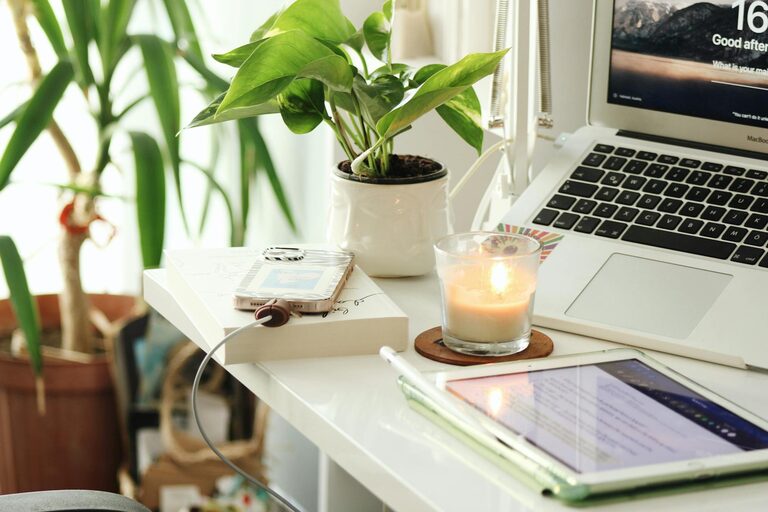
Creating a cozy and productive home office is essential for anyone working remotely or managing tasks from home. A well-designed workspace can boost focus, comfort, and efficiency, making it easier to stay motivated throughout the day. In this post, we’ll explore practical tips to help you design a home office that meets your needs while keeping it cozy and inviting.
Choose the Right Location
Consider Natural Light
A bright room with plenty of natural light can greatly improve your mood and energy levels. Try to position your desk near a window to take advantage of daylight. If natural light is limited, invest in good quality artificial lighting that mimics daylight to reduce eye strain.
Minimize Distractions
Pick a spot that’s quiet and away from high-traffic areas to help maintain focus. If you don’t have an extra room to dedicate to your office, consider using room dividers or noise-cancelling headphones to create boundaries.
Invest in Comfort and Ergonomics
Select an Ergonomic Chair
Comfort is key when spending long hours at your desk. Choose a chair that supports your lower back and encourages good posture. Adjustable chairs allow you to customize height and tilt for maximum comfort.
Use a Proper Desk
Your desk should offer enough surface area for your computer, notebooks, and any other tools you use. Consider a height-adjustable desk to switch between sitting and standing, which can reduce fatigue and promote movement.
Organize for Efficiency
Declutter Regularly
A clutter-free workspace helps clear your mind and makes it easier to find what you need. Use storage solutions like shelves, filing cabinets, or desk organizers to keep essentials neatly arranged.
Implement a System
Establish a simple system for managing paperwork, bills, and daily tasks. Use labeled folders, trays, or digital tools to keep track of important documents and deadlines.
Personalize Your Space
Add Cozy Elements
Incorporate soft textiles like cushions, throws, or a small rug to add warmth to the room. These touches can make your workspace feel more inviting and comfortable.
Decorate Mindfully
Choose artwork, plants, or decorative items that inspire and motivate you. Greenery not only brightens the space but can also improve air quality and reduce stress.
Optimize Technology Setup
Position Screens Correctly
Place your monitor at eye level and about an arm’s length away to minimize neck and eye strain. If you use multiple screens, arrange them to reduce excessive head movement.
Manage Cables
Use cable organizers or clips to keep cords tidy and prevent tangling. A clean setup helps maintain a professional look and avoids distractions.
Create a Routine-Friendly Environment
Define Work Hours
Clearly separate work time from personal time by setting boundaries around your workspace and schedule. This helps maintain balance and prevents burnout.
Keep Refreshments Nearby
Having a water bottle, tea, or healthy snacks close by minimizes unnecessary trips and keeps your energy steady throughout the day.
Lighting for Comfort and Focus
Layer Your Lighting
Combine overhead lights with task lighting like desk lamps. Adjustable lamps allow you to direct light exactly where you need it.
Use Warm Light for Calm
Warmer light temperatures can create a calming atmosphere, especially in the late afternoon or evening, helping you wind down after work.
—
Designing a home office that balances coziness with productivity doesn’t require a complete overhaul. By thoughtfully choosing your location, investing in comfortable furniture, organizing your supplies, and personalizing your space, you can create an environment where work feels less like a chore and more like an enjoyable part of your day. Remember, the best workspace is one that supports your habits and makes you feel motivated and comfortable every time you sit down to work.